Advertisement
Click to download now, finish the installation quickly, and directly unlock the "all-round experience"
Advertisement
Screenshots



Click to download now, finish the installation quickly, and directly unlock the "all-round experience"
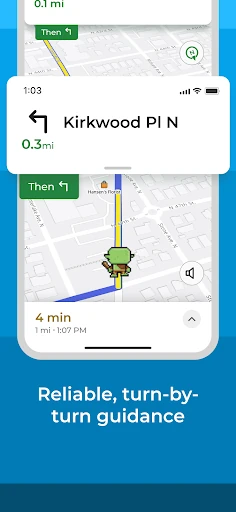
MapQuest: Get Directions remains a resilient contender in the Maps & Navigation sector, offering a reliable alternative to dominant platforms like Google Maps or Waze. Once a pioneer of web-based mapping, its mobile evolution focuses on providing a comprehensive utility tool tailored for North American travelers. It successfully blends traditional GPS navigation with functional lifestyle integrations—such as gas price comparisons and hotel bookings—positioning itself as a multi-functional travel assistant rather than a simple waypoint tracker.
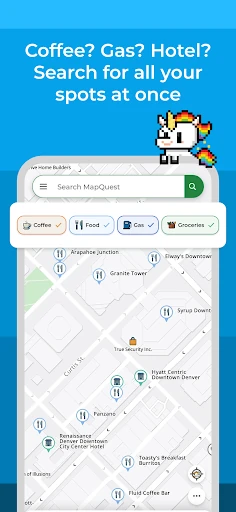
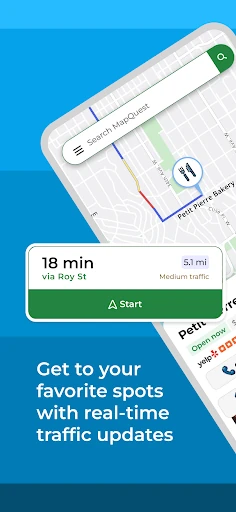
The interface of MapQuest utilizes a functional "layers" approach that prioritizes utility over visual flair. The UI is designed to be accessible, with a prominent search bar and a dedicated layers bar for quick discovery of essentials like gas and food. The integration of high-quality satellite imagery provides necessary visual context for urban navigation. While the design follows standard Maps & Navigation conventions, the addition of a speedometer and speed limit indicators directly on the navigation screen enhances the UX by keeping critical information in the driver’s peripheral view.
To stay competitive, MapQuest should prioritize battery optimization to reduce the "drain" associated with long-haul navigation. Additionally, expanding the roadside assistance and detailed POI layers to regions outside of North America would broaden its user base. Introducing an offline map mode would also be a significant upgrade for users traveling through areas with poor cellular reception.
MapQuest: Get Directions is an ideal choice for North American commuters and road-trippers who value value-added features like gas price monitoring and multi-stop planning. It is particularly well-suited for users who prefer an all-in-one travel tool that handles everything from navigation to hotel booking. While it lacks the global reach of some competitors, its specialized tools for US and Canadian drivers make it a solid recommendation for regional travel.