Advertisement
Click to download now, finish the installation quickly, and directly unlock the "all-round experience"
Advertisement
Screenshots
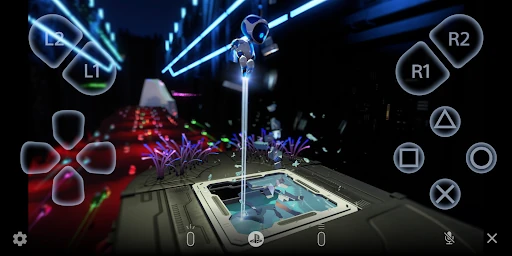
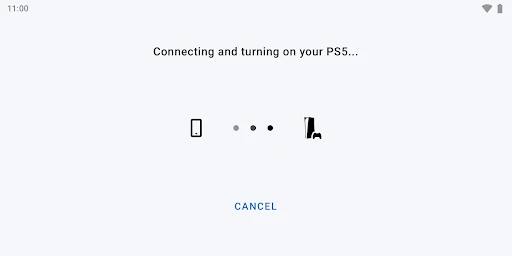
Click to download now, finish the installation quickly, and directly unlock the "all-round experience"
PS Remote Play stands as a critical bridge in the modern gaming ecosystem, transforming the PlayStation console from a stationary hardware piece into a portable powerhouse. Within the Entertainment landscape, it represents a high-tier utility that leverages cloud-streaming logic to provide seamless access to library content on the go. As a Senior Analyst, I view this app not just as a companion tool, but as a sophisticated streaming client that demands high-performance networking to deliver its promise. It effectively democratizes the PS5 and PS4 experience, allowing users to maintain their gaming habits without being tethered to a living room television.
The interface of PS Remote Play follows the minimalist and high-fidelity aesthetic expected from Sony’s brand identity. The UI is designed to disappear, prioritizing the game stream above all else. However, the user experience is bifurcated: when paired with a physical controller, the UX is top-tier and mirrors the console experience perfectly. When using the on-screen virtual controller, the UI becomes more cluttered, as is standard for the Entertainment and Gaming categories. Navigating the setup process is straightforward, though the app’s performance is heavily dictated by external factors like network stability and Android versioning, which can occasionally lead to a fragmented experience for users on older hardware.
To further elevate the platform, Sony should focus on optimizing the stream for unverified devices to reduce the "input lag" mentioned in the current documentation. Implementation of more robust data-saving modes—allowing users to toggle bitrate and resolution more granularly—would make the app more viable over mobile networks. Furthermore, expanding the "Verified Device" list beyond the Google Pixel series would provide more confidence to the broader Android user base regarding performance reliability.
PS Remote Play is an essential download for any PlayStation 5 or PS4 owner who values flexibility. It is specifically targeted at "power users" and dedicated gamers who want to maintain progress in AAA titles while away from their consoles. While the hardware and OS requirements are somewhat strict for the best experience, the app successfully delivers a console-quality experience in the palm of your hand. It is highly recommended for users with stable, high-speed internet and modern Android hardware.