🏆 Expert Verdict & Overview
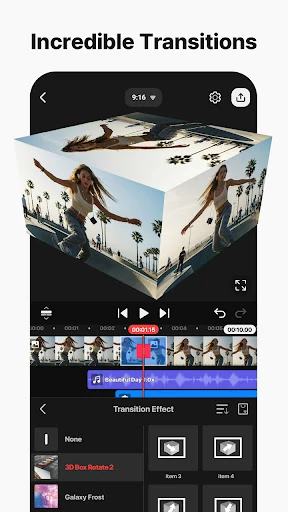
KineMaster - Video Editor stands as a titan in the Video Players & Editors landscape, successfully bridging the gap between casual mobile clips and professional-grade production. As a mature platform, it has evolved beyond basic trimming to offer a sophisticated suite of AI-driven tools that democratize complex editing tasks. In an era dominated by rapid-fire social media content like Reels and Shorts, KineMaster provides the precision of a desktop environment with the accessibility of a touchscreen interface, making it an essential tool for the modern digital storyteller.
🔍 Key Features Breakdown
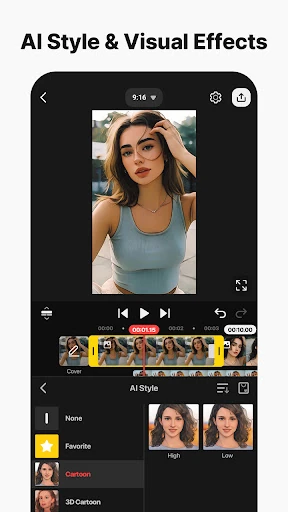
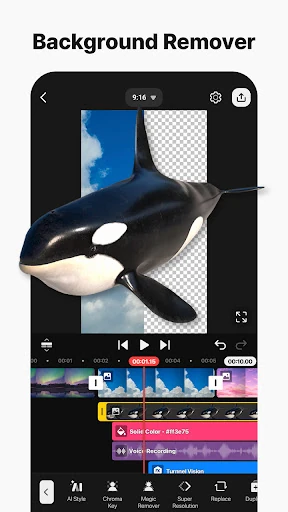
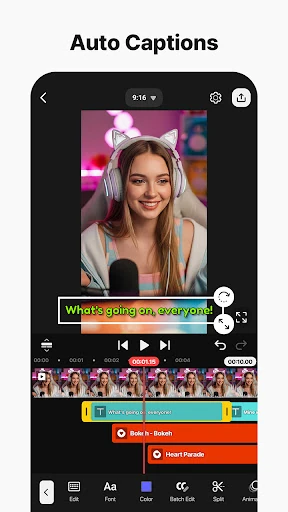
- AI-Powered Automation: Tools such as AI Auto Captions and Magic Removal solve the tedious problem of manual subtitling and background rotoscoping, allowing creators to produce polished content in half the time.
- Precision Keyframe Animation: This feature grants users granular control over the size, position, and rotation of every layer, solving the limitation of static, "cookie-cutter" mobile edits.
- Professional Compositing Tools: With Chroma Key and multi-layer support, users can execute complex visual effects and background replacements that were previously reserved for high-end desktop software.
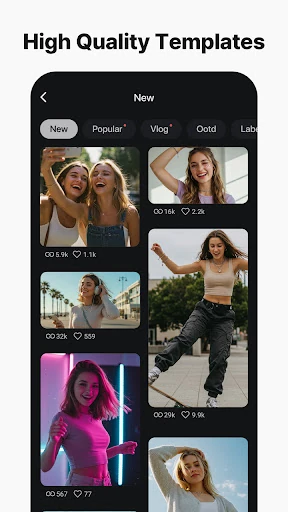
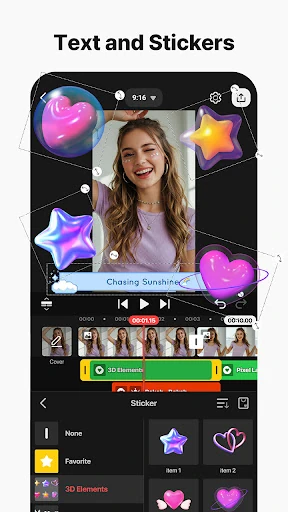
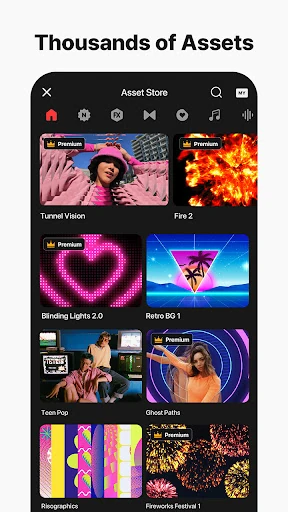
- Massive Asset Ecosystem: The integrated Asset Store provides tens of thousands of music tracks, transitions, and VFX, solving the creative block often faced by solo creators.
- High-Fidelity Output: Support for 4K at 60 FPS ensures that mobile creators do not have to sacrifice image quality for portability, catering to the standards of high-end platforms like YouTube.
🎨 User Experience & Design
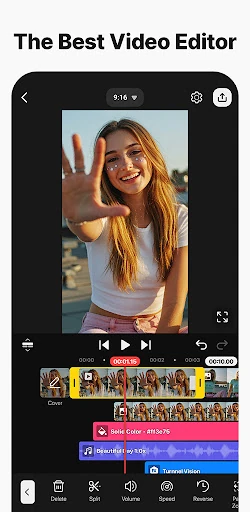
KineMaster’s interface is a masterclass in functional density. It uniquely offers both portrait and landscape editing modes, acknowledging the reality of diverse social media formats. The multi-layer timeline is intuitive, utilizing magnetic guides to snap elements into place, which significantly reduces the frustration of precise alignment on a small screen. While the UI is packed with features, the categorization of tools remains logical; however, the sheer volume of options creates a steeper learning curve than more "automated" competitors, requiring a more intentional effort from the user to master.
⚖️ Pros & Cons Analysis
- ✅ The Good: Exceptional flexibility with support for numerous layers of video, images, and stickers playing simultaneously.
- ✅ The Good: Cutting-edge AI integration including upscaling, vocal separation, and style transfer that keeps the app ahead of industry trends.
- ❌ The Bad: The high resource demand of 4K 60 FPS editing can cause performance lag or thermal issues on older or mid-range devices.
- ❌ The Bad: The interface can feel overwhelming for absolute beginners who may find the professional-grade iconography confusing.
🛠️ Room for Improvement
While KineMaster is feature-rich, the next logical step would be improving the cross-platform workflow. A more robust synchronization between KineCloud and desktop file formats would benefit professional editors. Additionally, implementing a "Simplified Mode" or an "Onboarding Wizard" for the AI features could help novice users navigate the app's power without feeling intimidated by the professional-tier interface.
🏁 Final Conclusion & Recommendation
KineMaster - Video Editor is the definitive choice for serious vloggers, social media influencers, and semi-professional videographers. It is not just a tool for trimming clips, but a mobile studio capable of producing broadcast-ready content. While it may be more than a casual user needs, it is highly recommended for anyone looking to elevate their production value beyond the basic filters found in social media apps. For those committed to mobile-first content creation, it remains the gold standard.