Advertisement
ダウンロード数
5,000,000+
入手先
Google Play
Advertisement
スクリーンショット

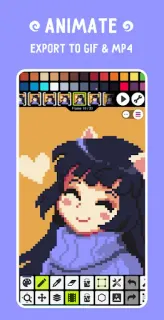
アプリ本体に加えて、更新やキャッシュ、日常の利用のために数百MBの余裕を見ておいてください。正確な容量は端末やAndroidのバージョンによって異なります。
Pixel Studio: pixel art editor はGoogle Playからのみインストールすることをおすすめします。Google Playでは開発者自身が公開・更新しており、Google Play プロテクトによるチェックも行われます。当サイトはAPKファイルをホスト・配布しておらず、このページのボタンはGoogle Playの公式ページを開きます。
下のボタンからGoogle Playの Pixel Studio: pixel art editor 公式ページを開き、「インストール」をタップしてください。ダウンロードとその後のアップデートはGoogle Playが自動で行います。
下のボタンから、Google Playの公式ページで Pixel Studio: pixel art editor をインストールできます。