
Advertisement
Click to download now, finish the installation quickly, and directly unlock the "all-round experience"
Advertisement
Screenshots
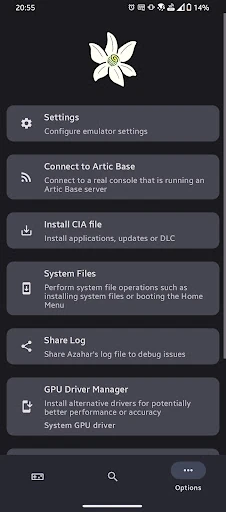

Click to download now, finish the installation quickly, and directly unlock the "all-round experience"
Azahar Emulator represents a pivotal shift in the Android emulation landscape, specifically for enthusiasts of the 3DS ecosystem. Emerging from a strategic merger between the highly regarded PabloMK7 fork and Lime3DS, Azahar consolidates years of technical refinement into a single, unified platform. As a successor to its predecessors, it positions itself as the definitive solution for high-fidelity arcade-style handheld gaming on mobile. Our analysis indicates that this project is not merely a rebranding but a concerted effort to streamline performance, enhance compatibility, and provide a stable repository for open-source development in the Arcade category.
The interface of Azahar Emulator adheres to the clean, functional aesthetics expected of top-tier Arcade tools. It prioritizes accessibility, allowing users to navigate their local library of titles with minimal friction. The UI is designed to stay out of the way of the content, featuring intuitive touch-control overlays that are highly customizable. For an app born from multiple forks, the UX is surprisingly cohesive, offering a streamlined setup process that simplifies the often complex task of configuring BIOS files and directory paths.
To further solidify its dominance in the Arcade category, Azahar Emulator could benefit from more robust in-app documentation for newcomers. Integrating a "Quick-Start" wizard to guide users through initial configuration would lower the barrier to entry. Additionally, exploring more advanced shader caching options could help mitigate the minor micro-stuttering observed during asset-heavy gameplay on certain mobile chipsets.
Azahar Emulator is the go-to recommendation for retro gaming enthusiasts and power users who demand the most accurate 3DS experience on Android. It effectively silences the noise of fragmented forks, offering a polished, professional-grade tool. If you have a modern Android device and a passion for classic handheld titles, Azahar is an essential addition to your digital library. It is currently the gold standard for its specific niche within the Arcade category.